The guidelines provided below are an example of what enforcement should be expected. It is at the discretion of the staff for experiences not displayed below that provide a negative experience.
Publisher’s Policy
- Abusive or Destructive Behaviour
Abusive and/or Destructive themes are outlined by the following;
- Themes purposely imposing a risk to users visually, physically or mentally. I.E; epilepsy or other visual impairment.
- Providing a negative experience towards the service. I.E; Harming the users experience and accessibility.
- Purposely ensuring all colours of theme remain the same or extremely simular.
- With malicious intent, attempt to and/or successfully bypassing site security measures.
- No tolerance of spamming.
While publishing themes to the service, you must respect the rate limits enforced provided to your user. Under no circumstances should a user attempt to bypass these published rate limits.
- Equality when handling reviews.
Under no circumstances, should your coordinate or participate in the coordination of “raiding” or mass reviews of themes to negatively impact the score of the theme.`
ERM Staff, at any may request the removal, or forcefully removal of themes at its discretion.
Removing Themes
Should a theme not follow the guidelines provided above, the following actions will be taken;
- You are to provide the user with a warning, and a reason as to why the theme is being removed.
- This to ensure the user is aware of the reason and can take the necessary steps to correct the issue.
- You are to issue this to the user’s direct messages.
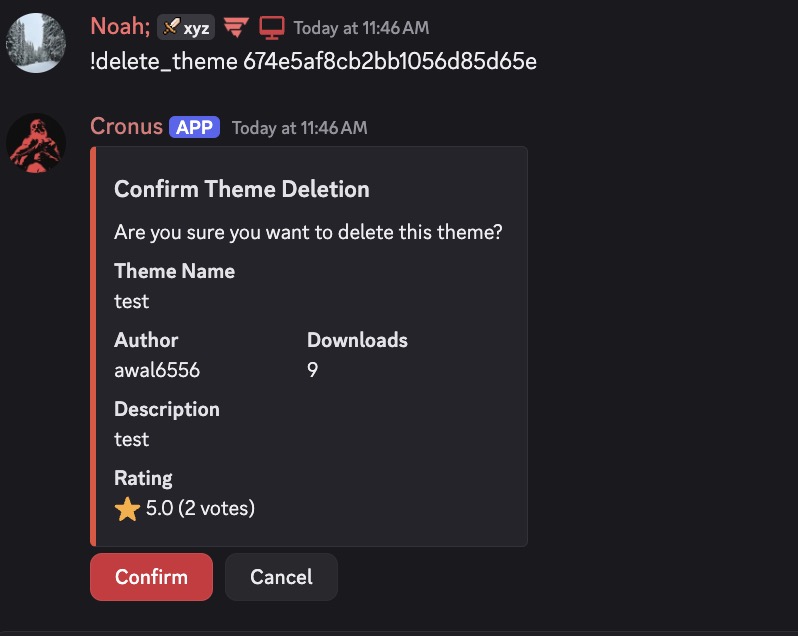
Command usage would be as follows;
Example messages
Minor Case;
Hey @(user), your theme (Theme Name) has been removed for (List Reason/s). Please review the the reasons provided and re-upload your theme after you have corrected it.
Extreme Case;
Hey @(user), your theme (Theme Name) has been removed from the marketplace. The severity of the case has resulted in a ban from publishing to the marketplace. If you believe this is in mistake, please contact support in our [community server](https://discord.gg/ermbot).
Finding a Theme ID
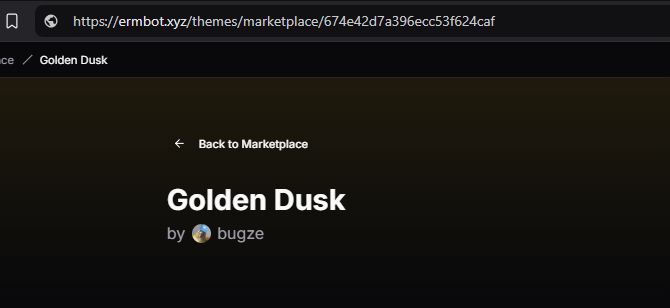
To find a theme ID, you are to follow the steps below;
- Navigate to the theme you wish to remove.
- Locate the URL of the theme.
- The theme ID is the last part of the URL. I.E;
https://ermbot.xyz/themes/marketplace/123456789
Extreme Cases
Should the user do any of the following, you are to ban them from creating themes;
- Attempt to bypass the rate limits.
- Attempt to bypass the security measures.
- Posting slurs or other inappropriate content within the theme.
- Posting offsite links to malicious or harmful content.
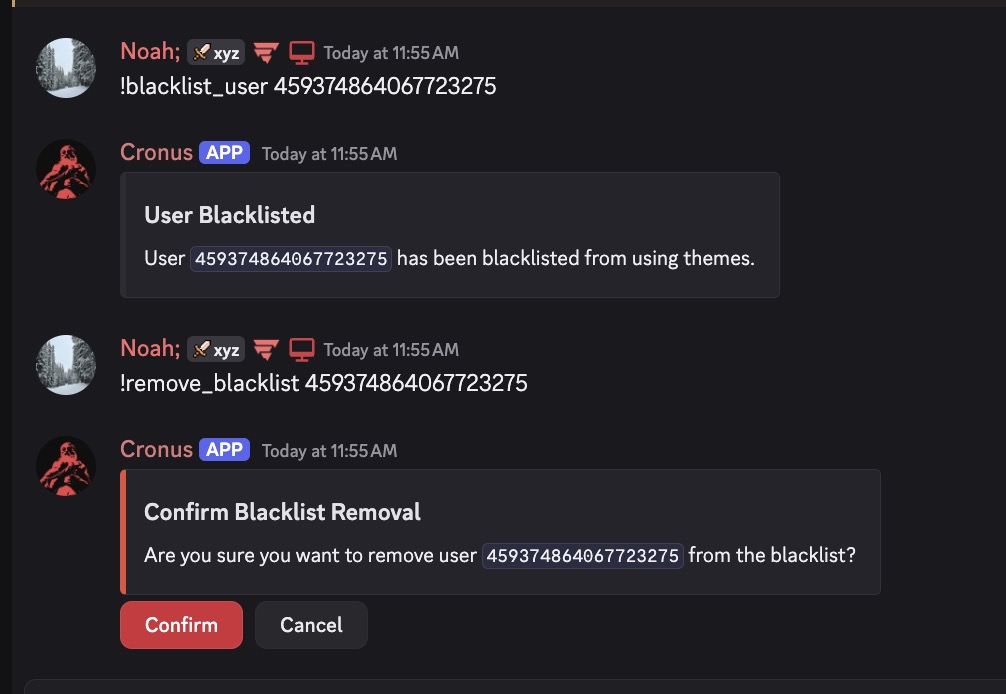
Command usage would be as follows;
- !blacklist_user User_ID
- !remove_blacklist User_ID